
AutoePass
On the Chrome Web StoreA Chrome extension. Enter your identity details in ePass once; whenever a web form asks for a passport number, romanised name or address, it fills the fields one by one and shows a Chinese gloss beside each English field. You check and submit yourself.
What it looks like
The four images below are the extension itself, not mock-ups.
One click fills the whole form, field by field
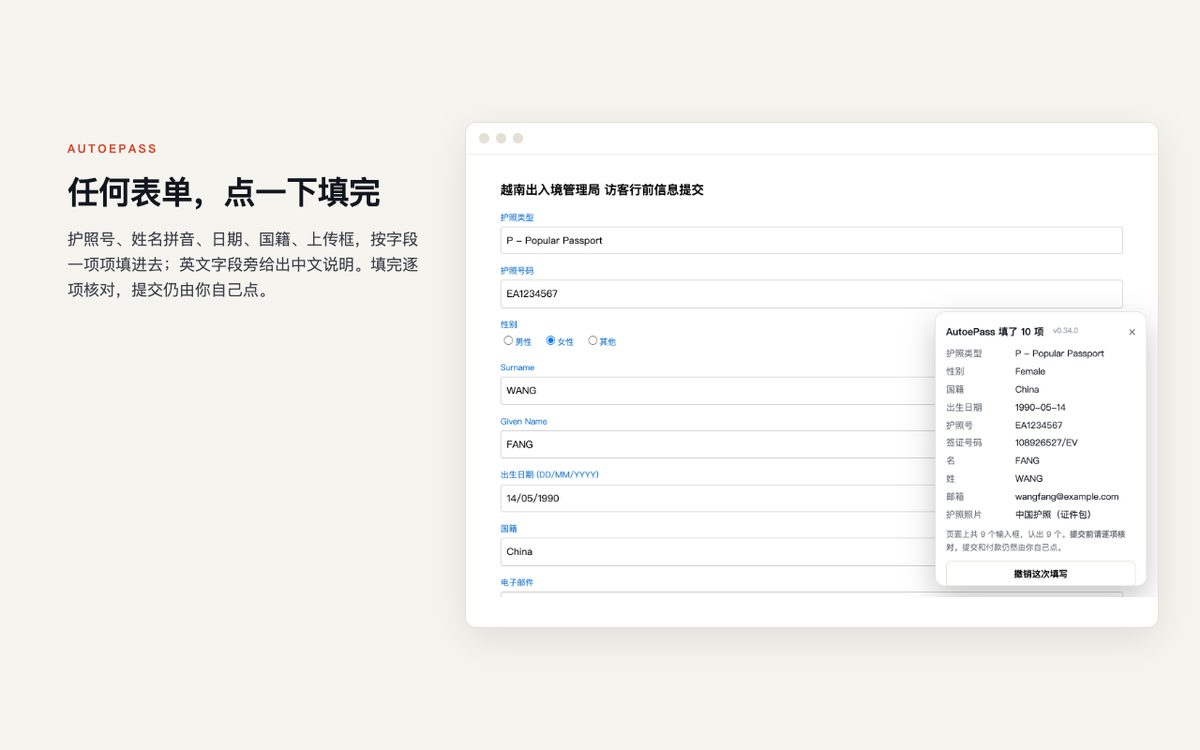
Open the official form and click the extension icon once. It reads each input's label, placeholder and section heading, works out whether it wants a passport number, romanised name, date of birth, nationality, address or phone, and fills it from the card; dropdowns, dates, radio buttons and country-code boxes are each handled their own way.
A Chinese gloss appears beside each English field, a checklist in the corner shows what was filled, and one click undoes it all. Nothing is drawn on the page, so the site's own error messages show as usual.
Portrait photos and passport scans are uploaded for you
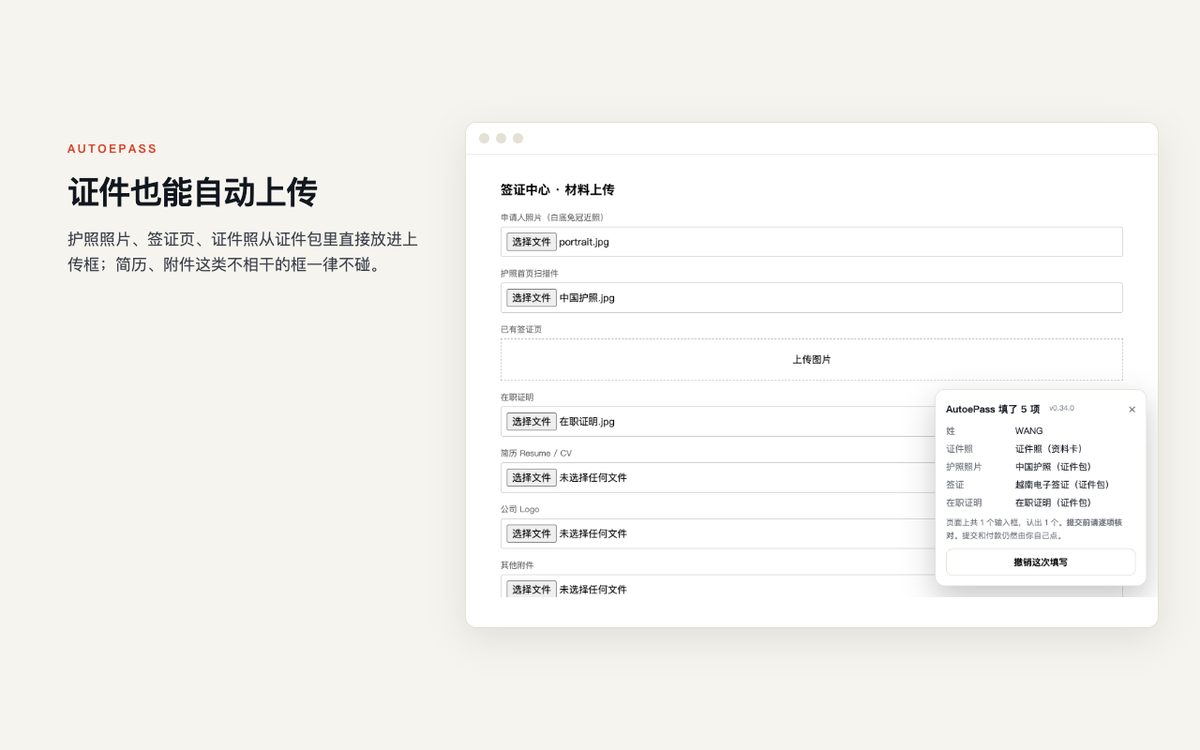
The passport data page, portrait and visa from your document wallet go into the matching upload boxes. Fields such as visa number, issue date and expiry are read from the visa document, so you never copy from a PDF.
Only upload boxes that name a specific document are used; "attachment" or "other files" are left alone.
The whole family's cards live in the extension
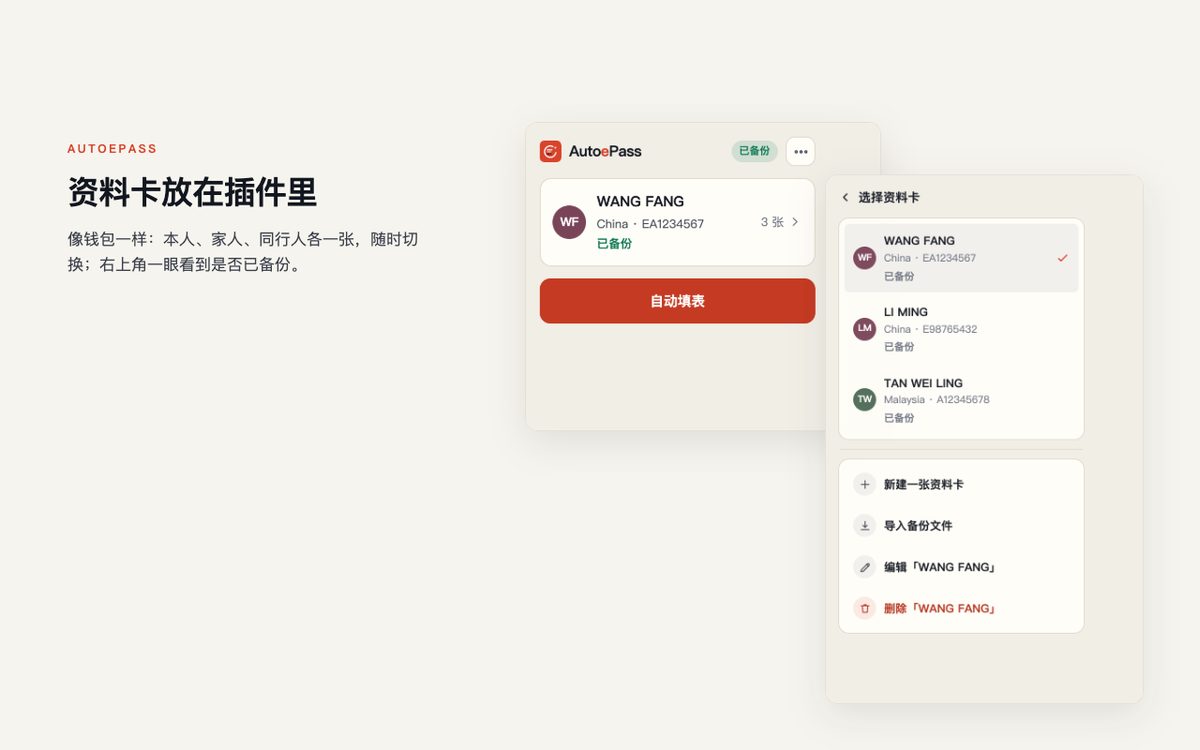
Up to five passports, one card each; pick whose card to use in the popup before filling. No re-editing when applying for parents or children.
A new computer is not a fresh start
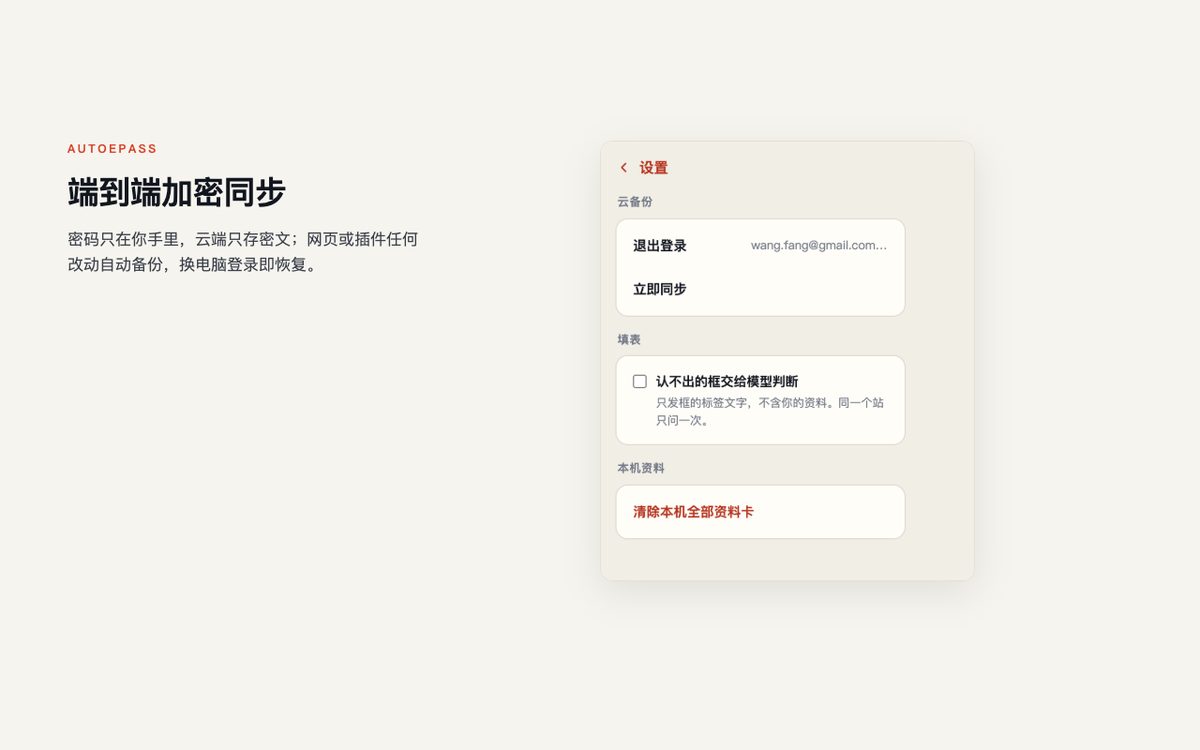
Optional automatic backup: Google sign-in only identifies the account; the content is end-to-end encrypted with a key derived from your own password before upload, and we store ciphertext only. Install the extension on the new computer, sign in to the same account, enter the password, and the cards and document wallet are back.
We do not have the password; forget it and the backup cannot be opened.
Which forms it is for
The extension recognises fields, not websites. If a form asks for a romanised name, passport number, dates, nationality or contact details, it can fill it.
Application forms on official e-visa sites. Vietnam's evisa.gov.vn is verified field by field: 46 inputs and 9 radio groups, including portrait and passport-page uploads.
Forms that must be filled online before departure, such as Vietnam's pre-arrival declaration, Thailand's TDAC, Malaysia's MDAC and Singapore's SGAC. Visa fields are read from the visa document in your wallet.
Document type, number, expiry, nationality and country code plus mobile number on booking pages.
English or mixed-language registration forms. Uncertain fields are left blank, never guessed.
How accuracy is measured: on 23 differently built test forms, 96.9% of the fields that should be filled were filled correctly and none were filled wrongly; regression on 86 real pages (airline check-in, e-visas, university applications, hospital registration and more) ran without errors.
Which sites it works on
Try it on any page with one click. Two sites are verified field by field and fill most accurately.
| Scope | How | Details |
|---|---|---|
| Any page | Click the extension button | The browser first asks whether to allow it on this site. Once allowed, it scans the inputs on the page, fills the ones it recognises as identity fields, draws nothing on the page (the site's own red error boxes still show), lists what it filled in the corner for you to check, and undoes it all with one click. |
| evisa.gov.vn | Automatic | The Vietnam e-visa application: 46 inputs and 9 radio groups verified field by field, including searchable dropdowns and free-text addresses.Filling guide |
| prearrival.immigration.gov.vn | Click the extension button | The Vietnam pre-arrival declaration: passport and visa sections verified field by field, with visa number, issue date and the rest read from the visa document in your wallet.Filling guide |
The extension never starts on its own. Apart from evisa.gov.vn, every site needs one click on the button and one approval before it runs on that page.
Three things it never does
It stops once the fields are filled. The submit button is always yours.
Government fees are collected by the destination on your own card; we handle nothing.
The CAPTCHA is how the official site confirms a human is acting. That step is left to you.
What data it touches
This table matches our Chrome Web Store declaration word for word.
| Data type | Touched? | Details |
|---|---|---|
| Personal identity data | Processed, not shared | Name, passport number, date of birth, address, email, phone, emergency contact. Written to the browser's local storage on your device and read from there when filling. With automatic backup on, it is end-to-end encrypted with a key derived from your password before backup to our server; we store ciphertext only and cannot decrypt it. Never sent to any third party. |
| Browsing history | No | It does not record which pages you visit. It runs on no site by default; only where you grant access does it run, once, on that page. |
| Website content | No | Page text is used only on your machine to work out what each input wants, then discarded; nothing is uploaded. |
| Authentication data | Only with backup on | Automatic backup identifies you through Google sign-in and uses only the result. It reads no passwords or codes and touches no CAPTCHAs. |
| Financial and payment data | No | It fills no card numbers and handles no payments. |
| Health / location / communications / activity | No | Unrelated to this tool; none of it is read. |
If field-mapping crowdsourcing is added later, it will send only label text and the field name it maps to, never any value you entered, will ask you each time and default to off. This table and the privacy policy will be updated before such a release.
How to install
Two ways
- Recommended: open the Chrome Web Store page and click "Add to Chrome". Updates arrive through the store.
- For the latest build right now: download the zip above and unzip it, open
chrome://extensionsin Chrome, switch on "Developer mode" at the top right, click "Load unpacked" and pick that folder.
Once installed, come back here to complete your profile card, then open the form you need and click the extension icon.
How accurate it is
Recognition relies on the clues around each input: its label, accessibility name, placeholder, field name and the heading of its section. These are scored against a dictionary of identity fields, and anything below the threshold is left blank.
On 23 differently built test forms, 96.9% of the fields that should be filled were filled correctly, none wrongly; regression on 86 real pages ran without errors. The misses are mostly labels that say only "Passport" or "Type", which a person could not guess without context either.
Missing on purpose rather than guessing: a wrong fill is harder to spot than an empty one.
Verified forms, field by field
What each official field wants, which card field it maps to, and what the common errors mean.
Vietnam's pre-arrival declaration on prearrival.immigration.gov.vn: passport and visa sections explained field by field, with the date-format and visa-number traps.
Read the guide →The evisa.gov.vn application: all 46 inputs and 9 radio groups explained, with photo requirements, fees and timing.
Read the guide →